Readable Itinerary Infographic
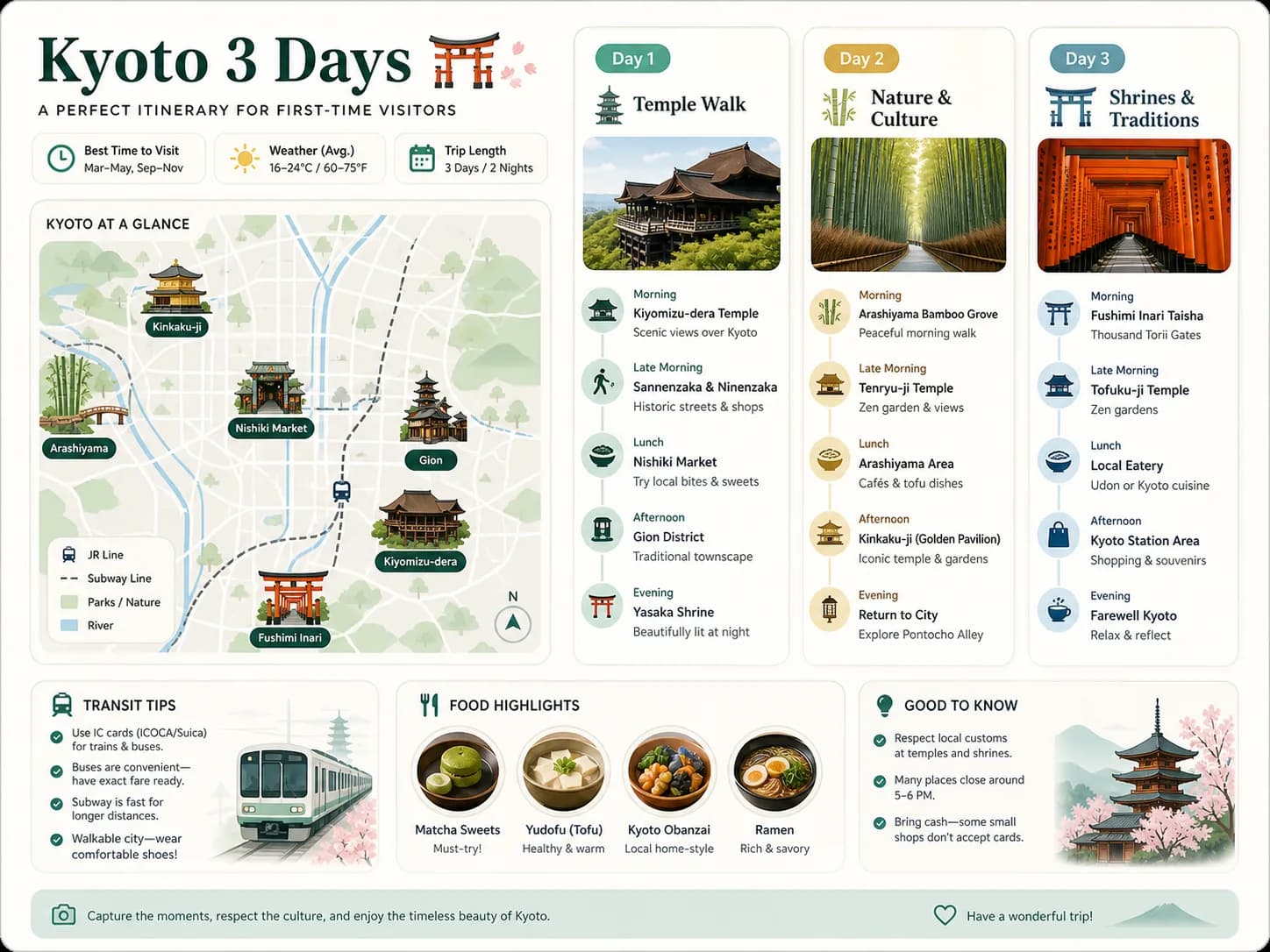
Create a 4:3 English readable itinerary infographic card for a 3-day Kyoto city trip. Include a simplified map, day-by-day itinerary modules, landmark icons, transit notes, food highlights, and short readable labels.
Create or edit images with GPT Image 2 in Pixelto AI. Start free online, write a structured prompt or add a reference image, and build infographics, ads, UI concepts, product visuals, and polished image revisions.
Browse finished GPT Image 2 outputs across structured information, commercial design, character, product, and interface tasks. Copy an existing prompt and adapt it in the generator.

Prompt
4:3EnglishInfographicCreate a 4:3 English readable itinerary infographic card for a 3-day Kyoto city trip. Include a simplified map, day-by-day itinerary modules, landmark icons, transit notes, food highlights, and short readable labels.

Create a 4:3 English readable itinerary infographic card for a 3-day Kyoto city trip. Include a simplified map, day-by-day itinerary modules, landmark icons, transit notes, food highlights, and short readable labels.
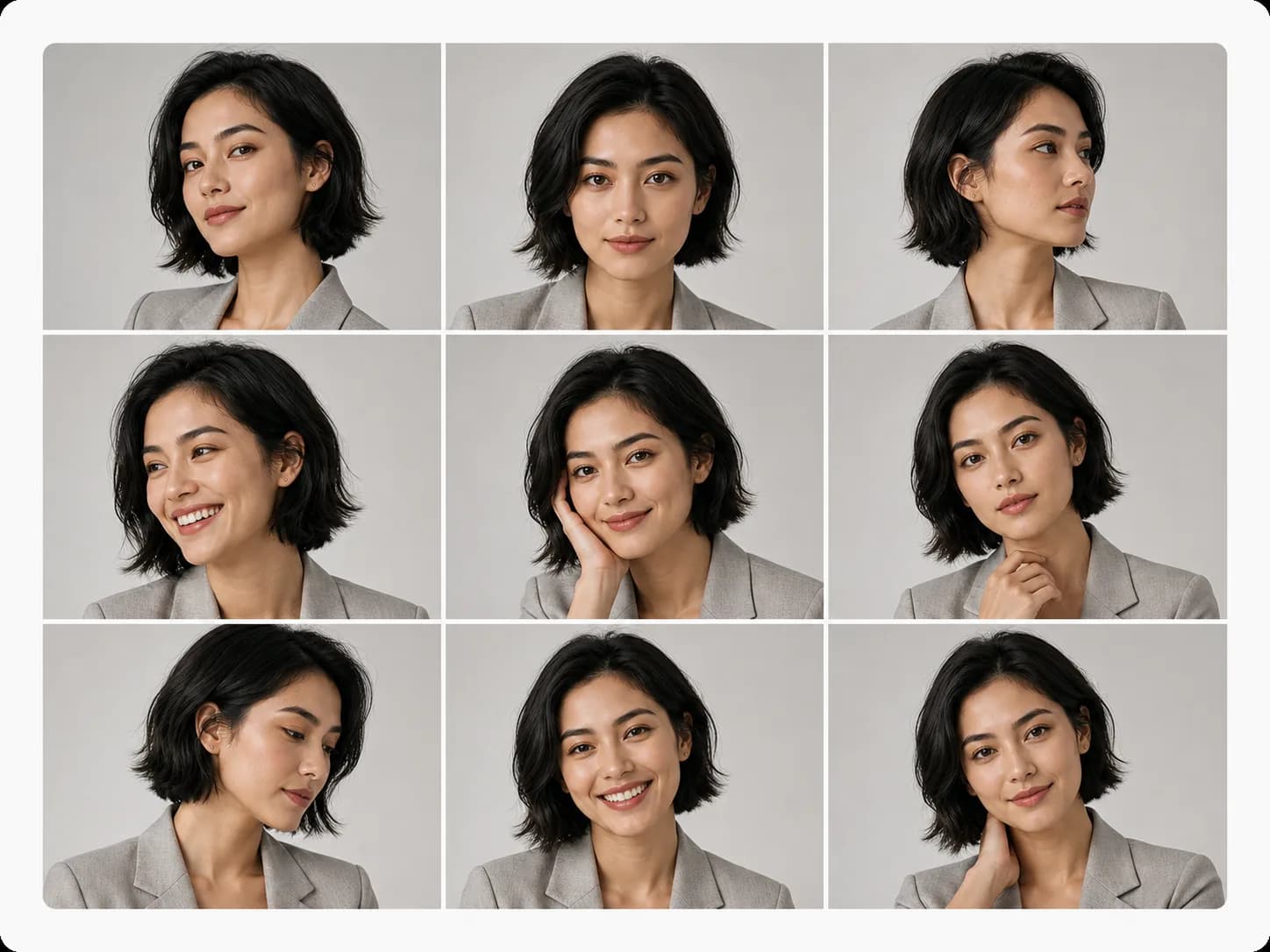
Create a 4:3 consistent character portrait grid of the same fictional adult woman across varied editorial crops. Keep the same face, hair, styling, and identity while changing angles and expressions.

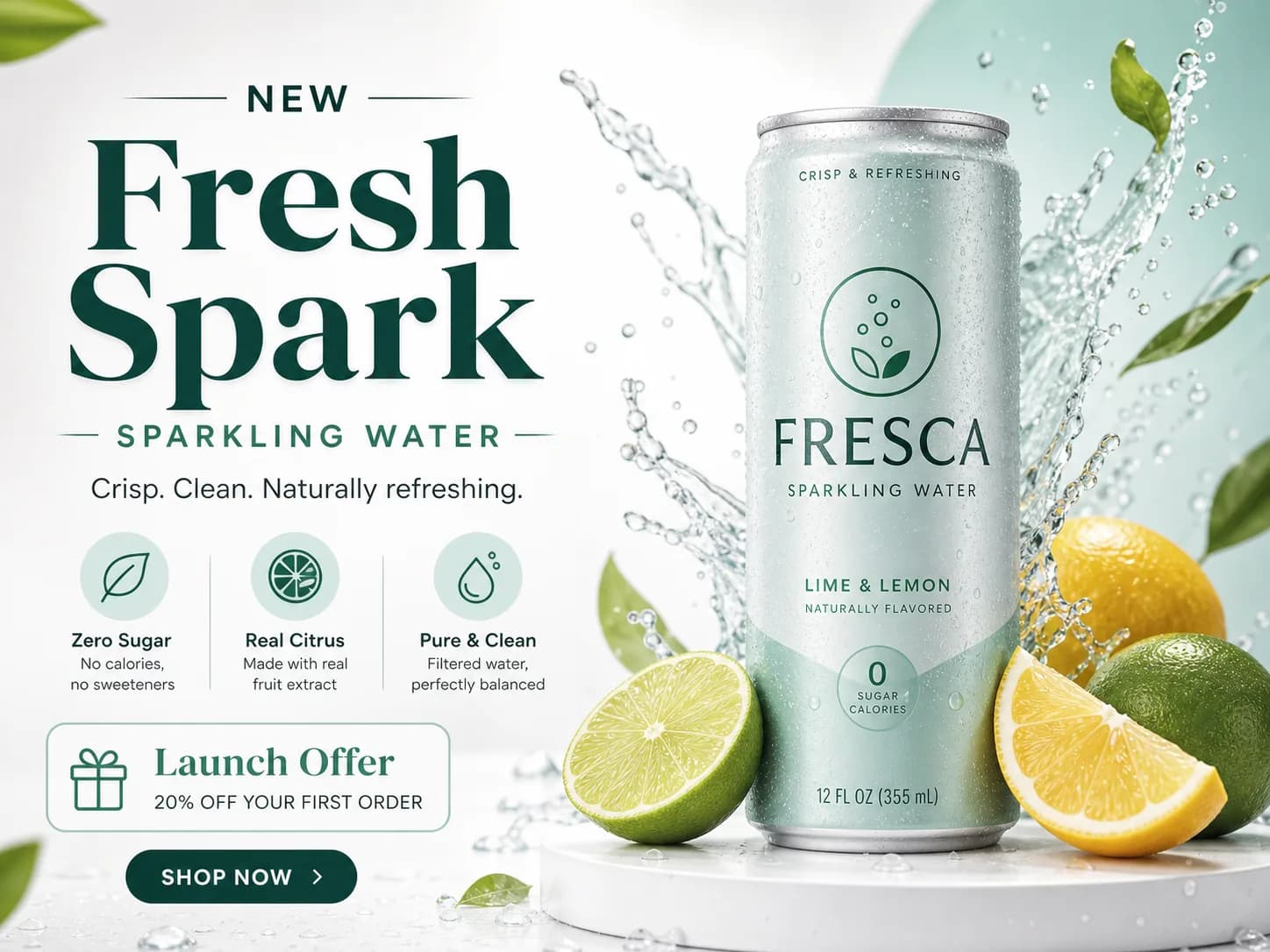
Design a 4:3 campaign ad creative for a fictional sparkling water launch. Show a hero product, readable headline area, benefit chips, CTA treatment, and a polished commercial layout.

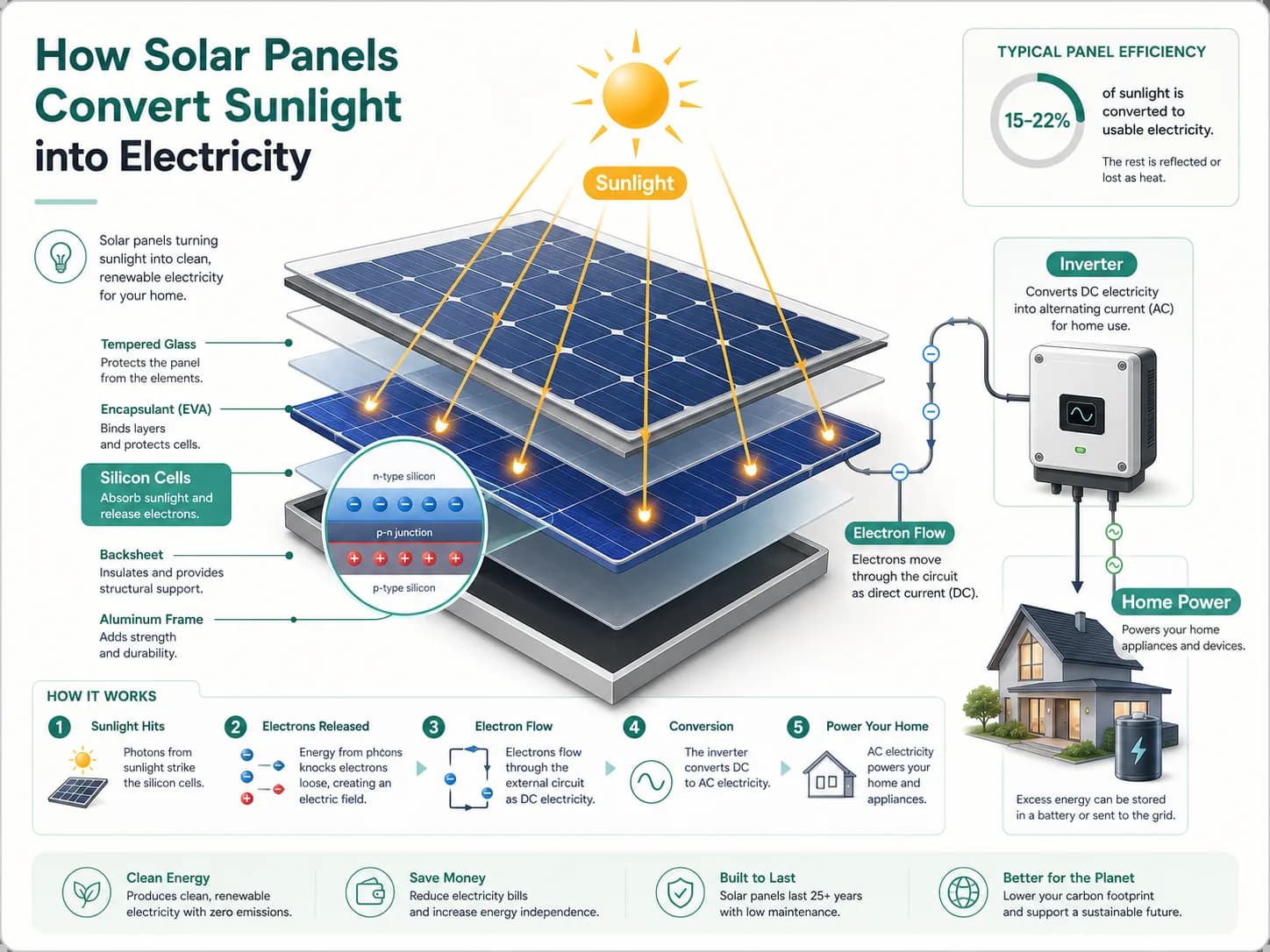
Create a 4:3 educational science knowledge card explaining how solar panels convert sunlight into electricity. Include a central diagram, arrows, icons, and readable English labels.

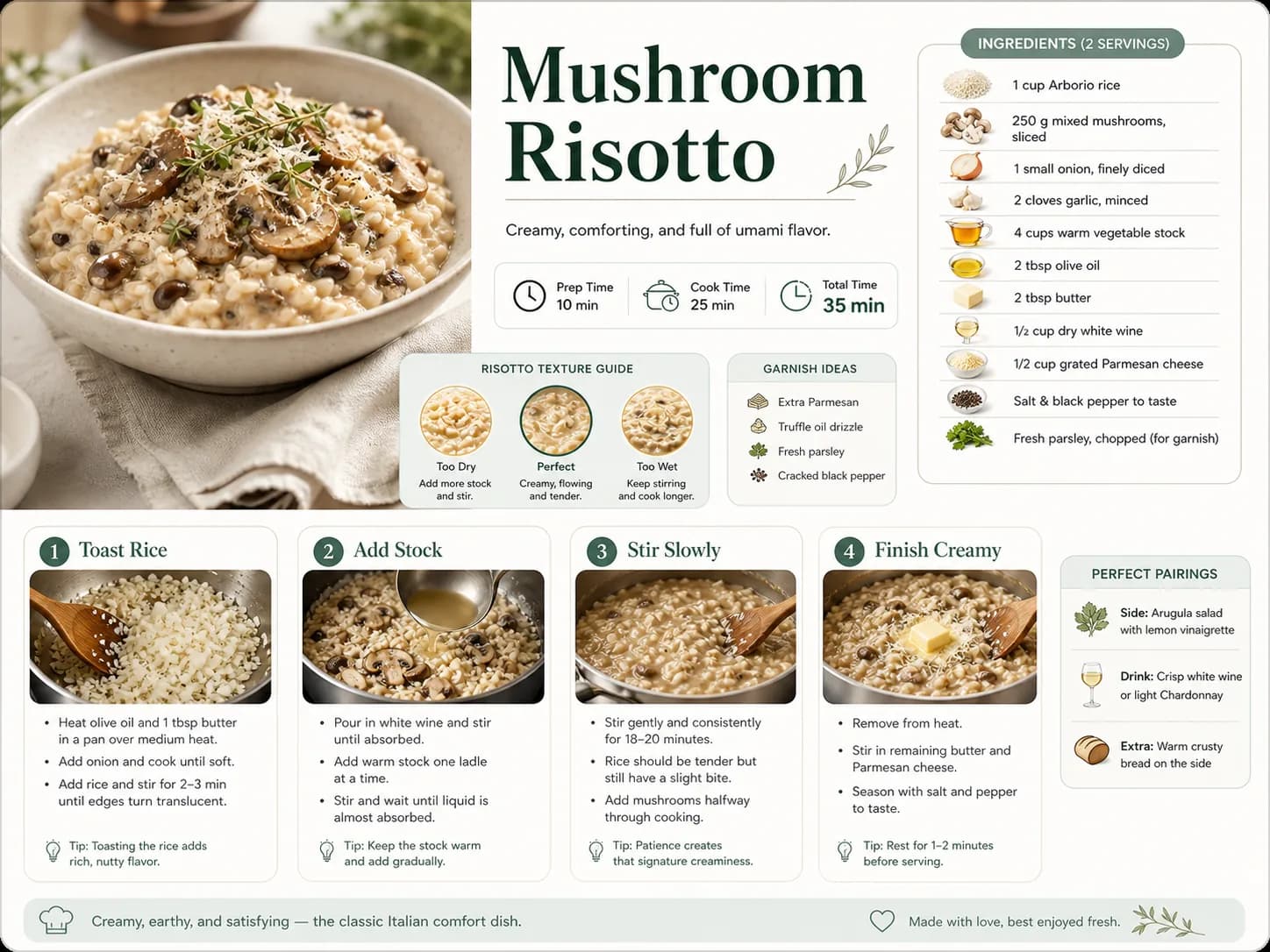
Create a 4:3 recipe process flow infographic for mushroom risotto. Include a hero dish image, ingredient cards, four cooking steps, timing notes, texture tips, and readable English labels.

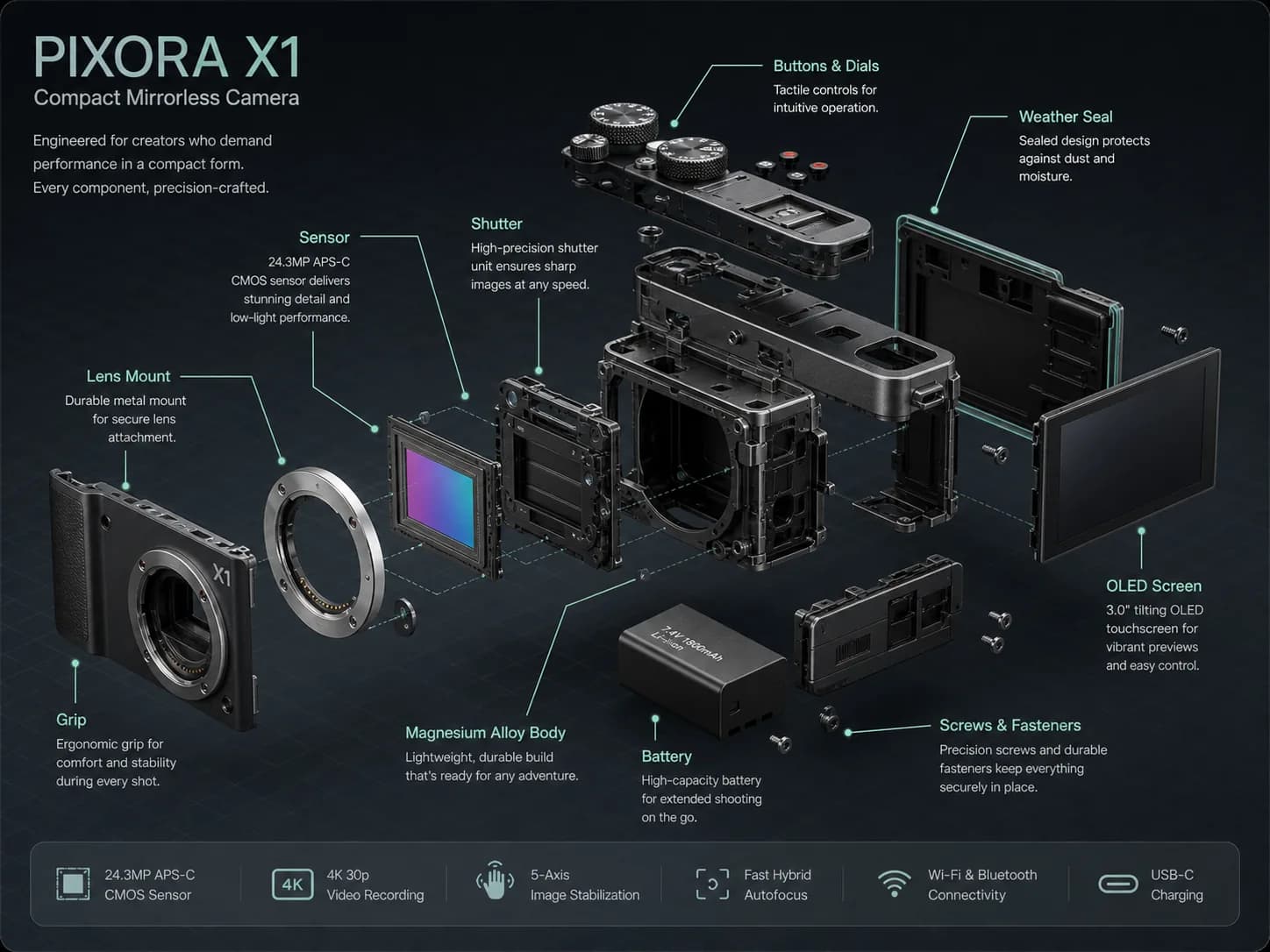
Create a 4:3 technical product structure explainer for a fictional compact mirrorless camera. Show an exploded view with component callouts and short readable English labels.

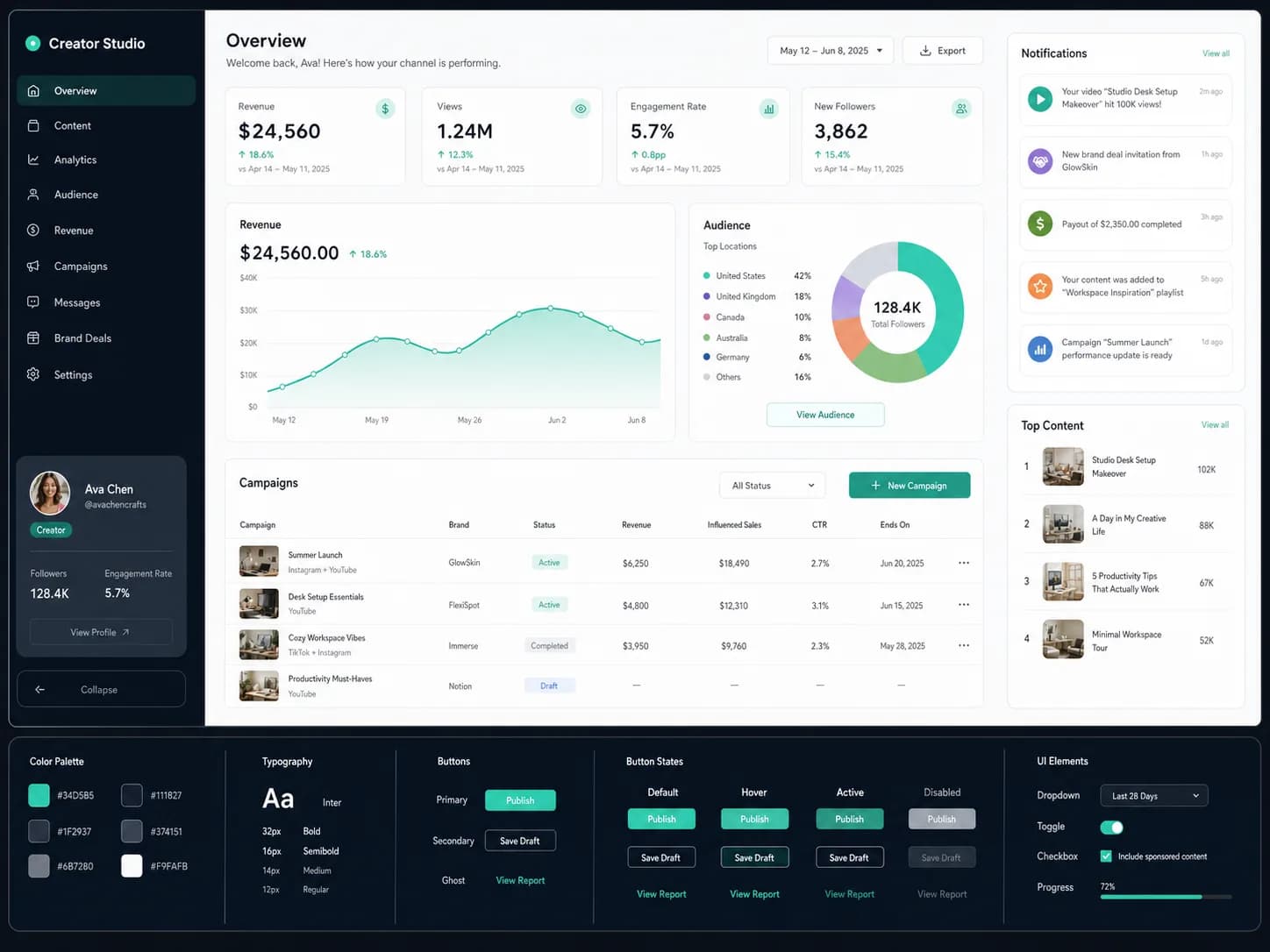
Create a 4:3 realistic UI/dashboard concept board for a creator analytics web app. Include a sidebar, chart cards, campaign table, component states, and readable English UI labels.

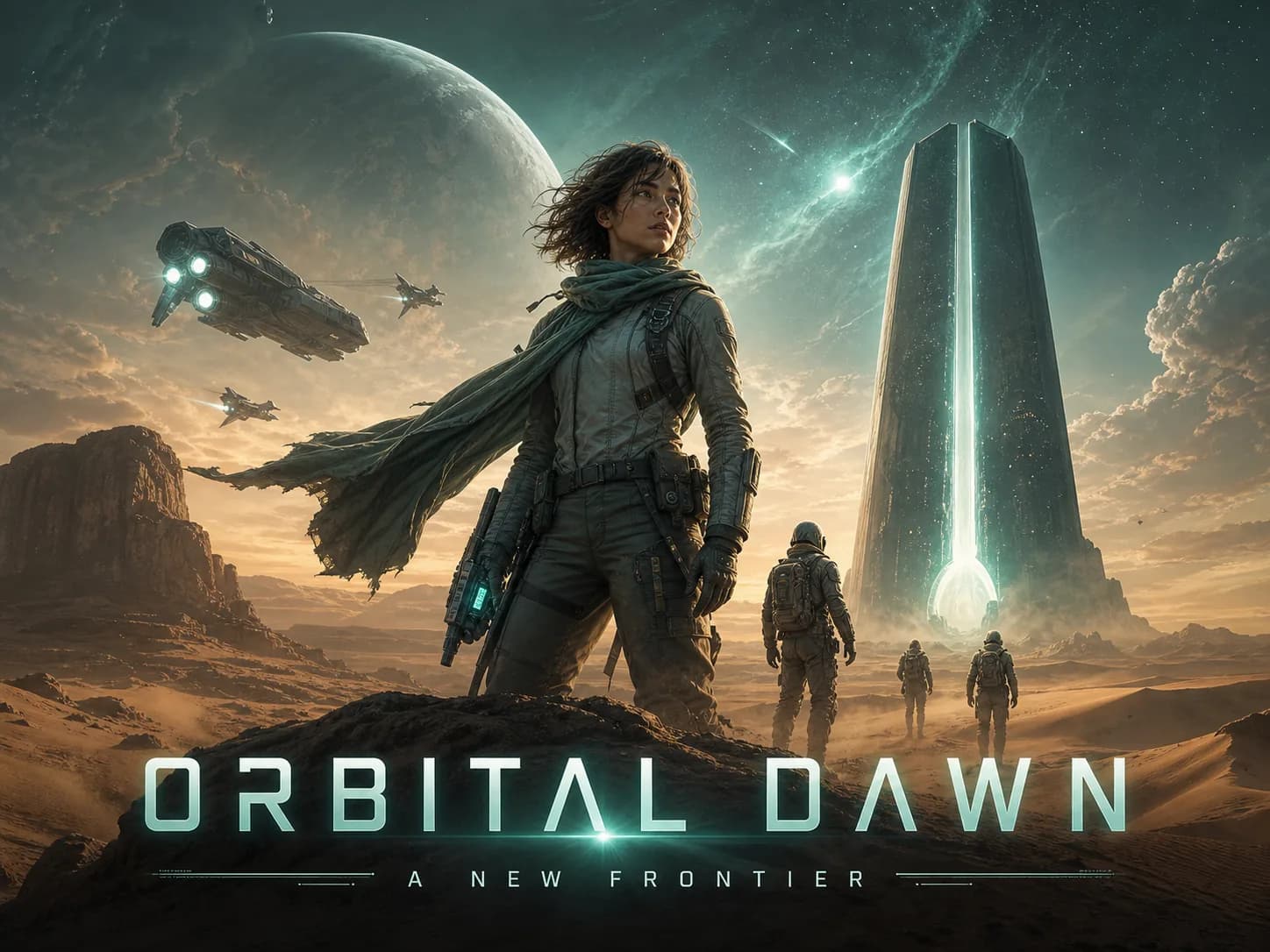
Create a 4:3 cinematic poster key art for a fictional original sci-fi adventure film. Show explorers, an alien horizon, a title treatment, and premium theatrical composition.

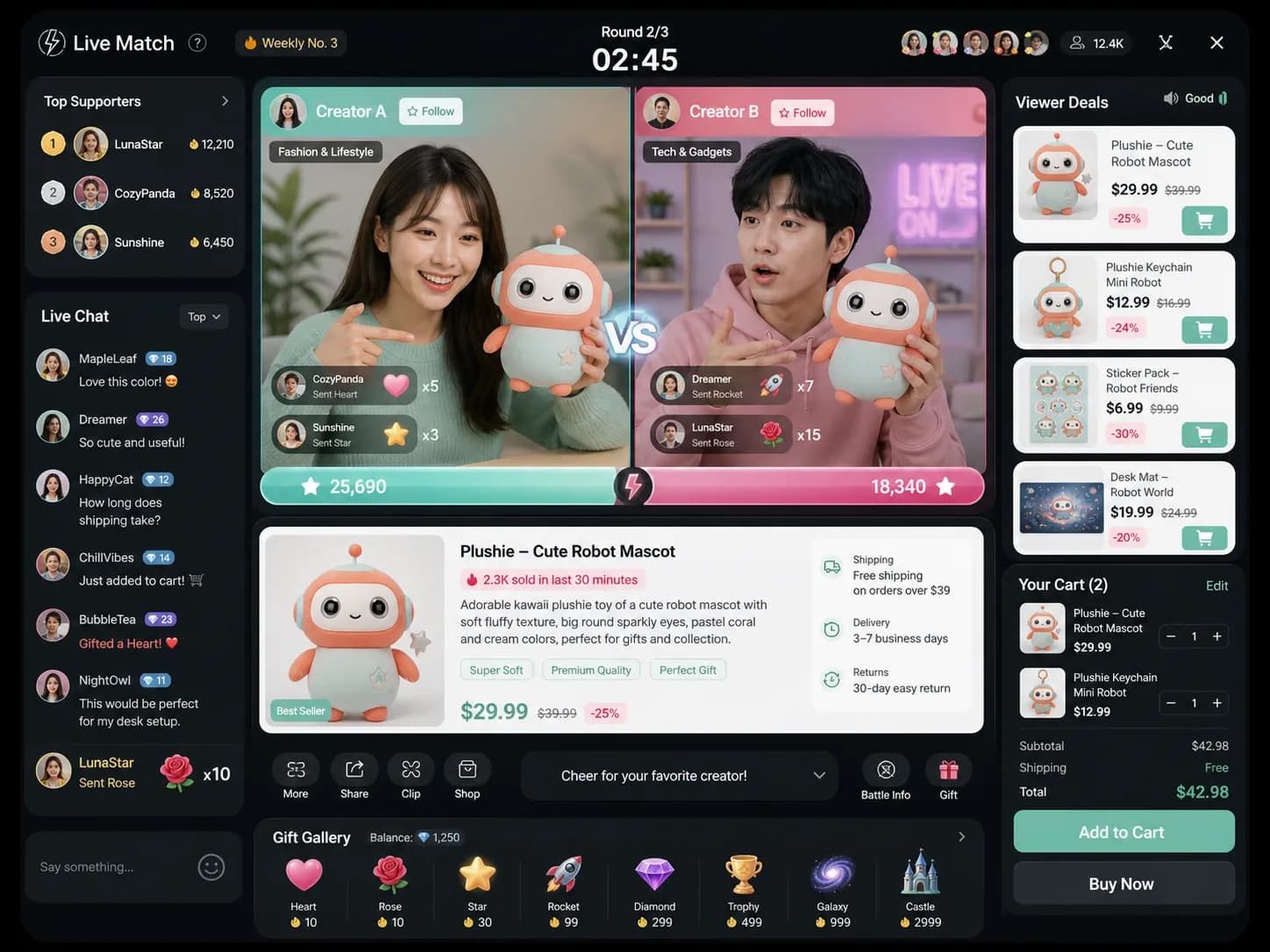
Create a 4:3 livestream social commerce interface concept with two fictional creator panels, score bars, comments, product card, viewer counters, badges, and readable English controls.
Describe the format, content hierarchy, short copy, reference constraints, and delivery context instead of relying on a broad style request.
Name the format first, then list the required sections, labels, callouts, charts, and reading order. Keeping copy short gives every block a clearer role in the final layout.

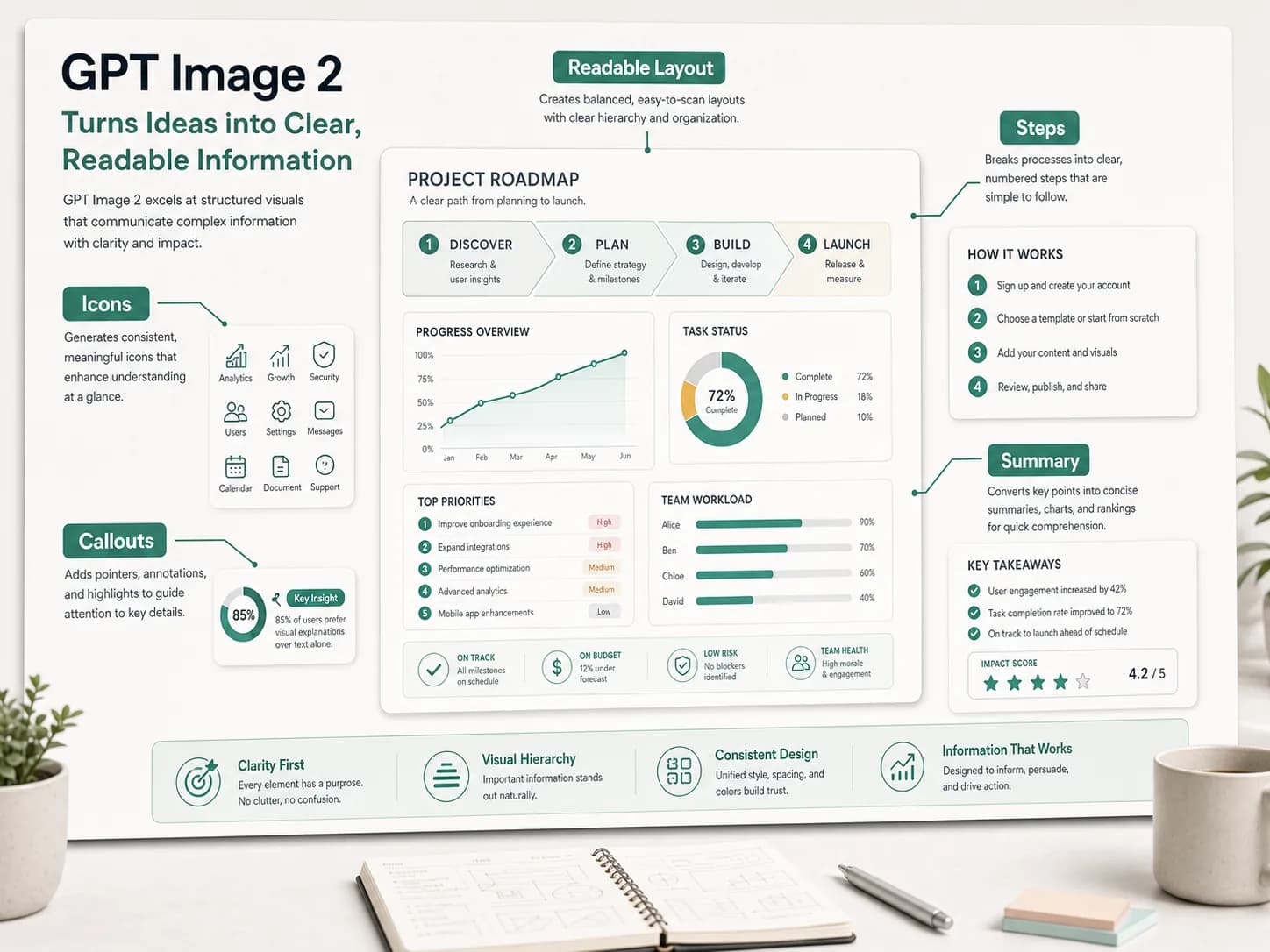
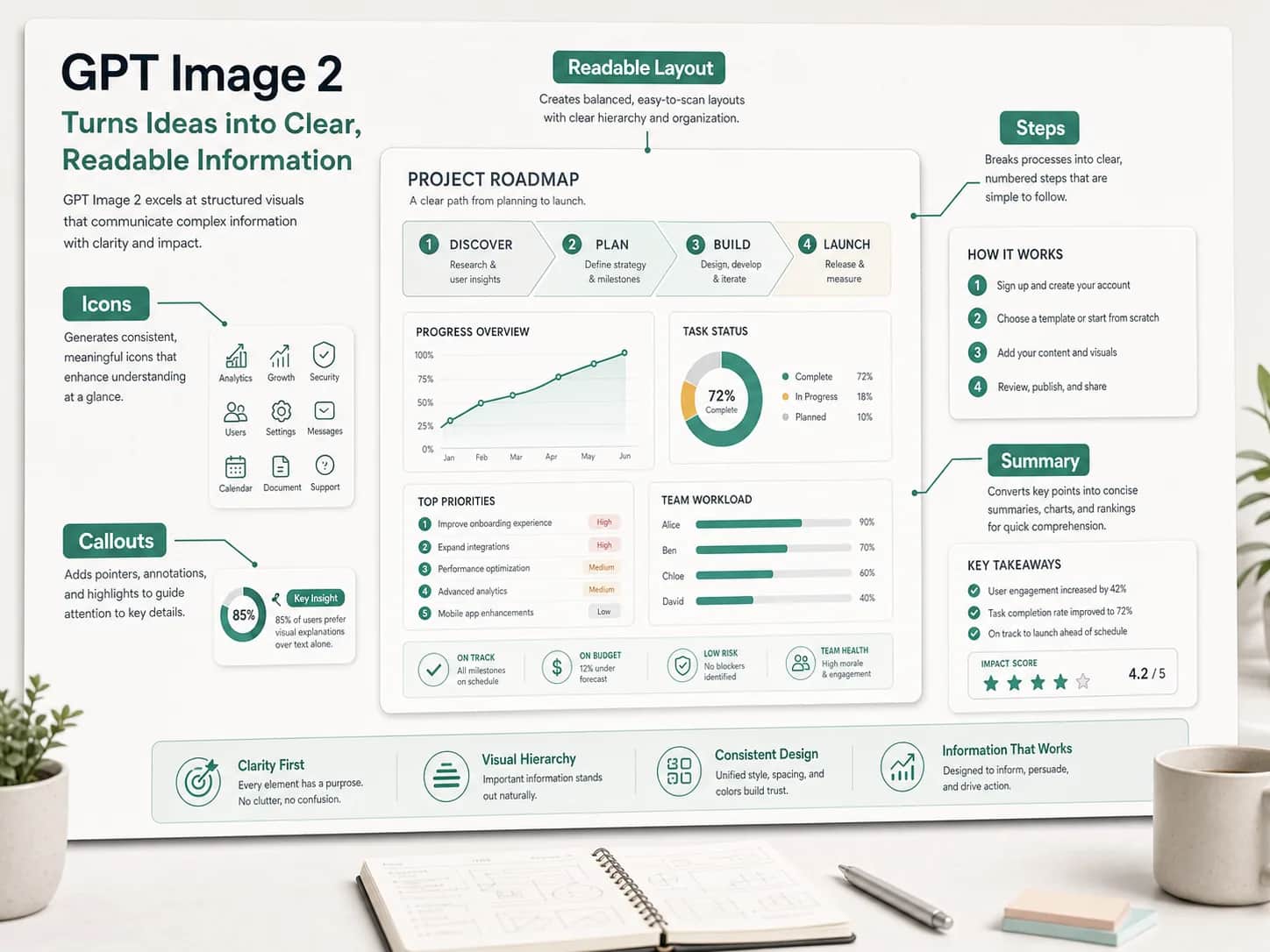
Create a 4:3 project roadmap infographic titled “A Clear Path from Brief to Launch.” Include five numbered stages, a short outcome under each stage, two compact progress charts, a risk callout, and a final summary. Use concise English labels, strong heading hierarchy, generous spacing, and a neutral editorial layout with mint accents.
For an ad or product board, define the hero image, benefit hierarchy, offer, supporting scenes, channel variants, and brand mood so the output works as a connected campaign system.

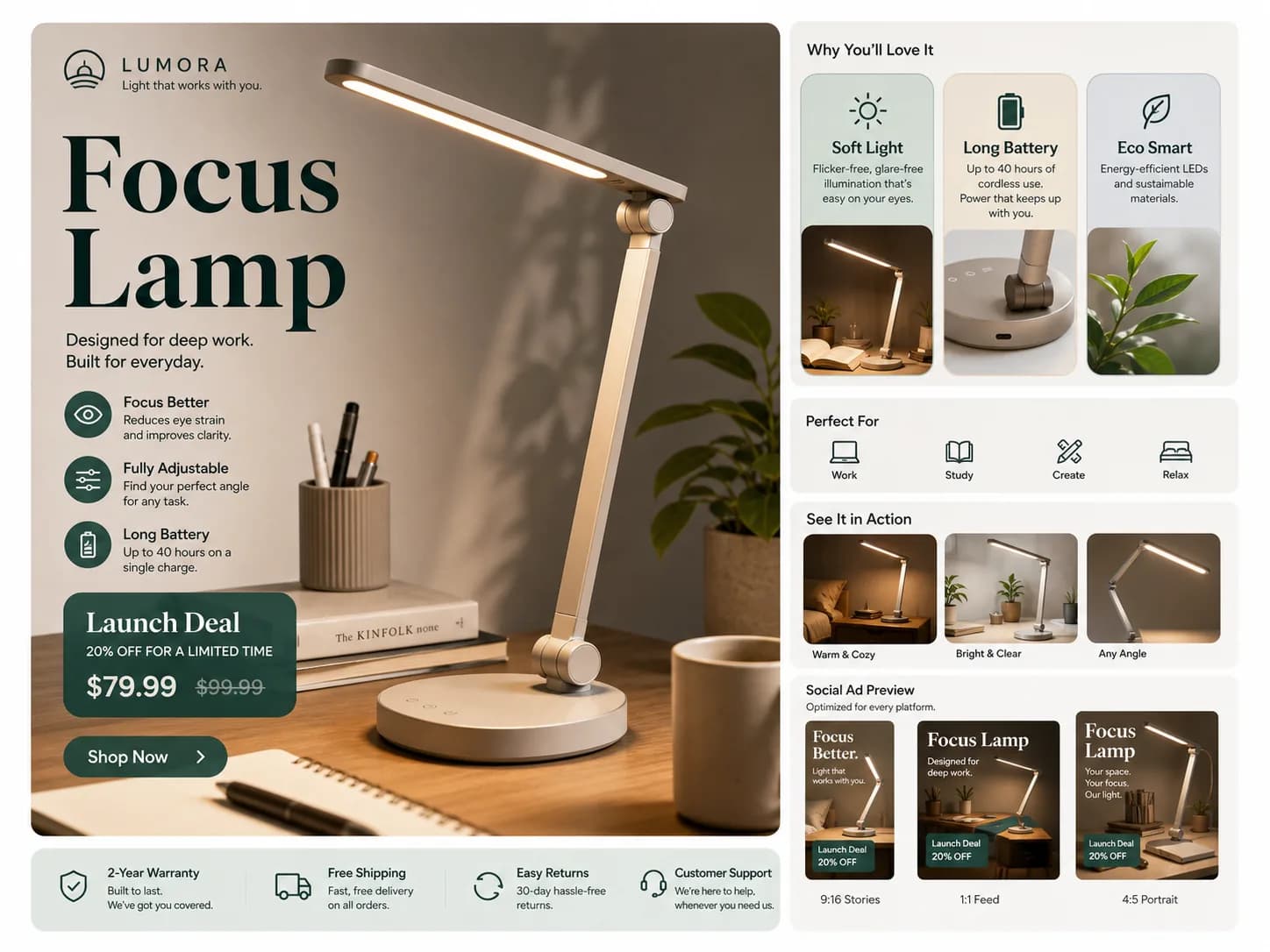
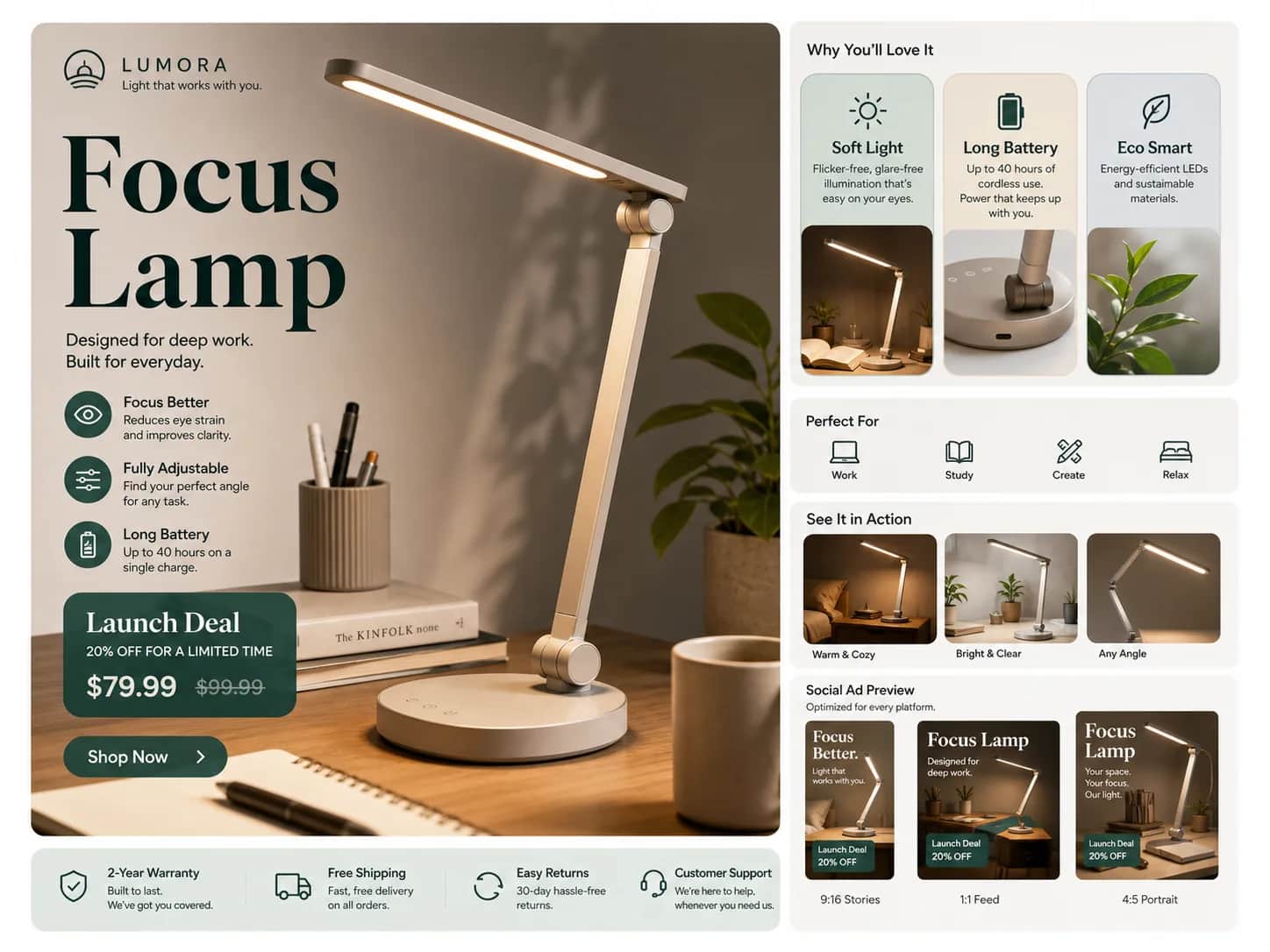
Design a 4:3 launch campaign board for a fictional portable reading lamp. Show one hero product shot, three concise benefits, a limited-time offer, a small warranty and shipping row, one lifestyle scene, and feed, story, and banner adaptations. Keep the product shape and pale ceramic finish consistent across every panel.
A UI prompt is more reliable when it names the product type, device, navigation, cards, tables, charts, empty states, and visual hierarchy instead of asking for a generic modern dashboard.

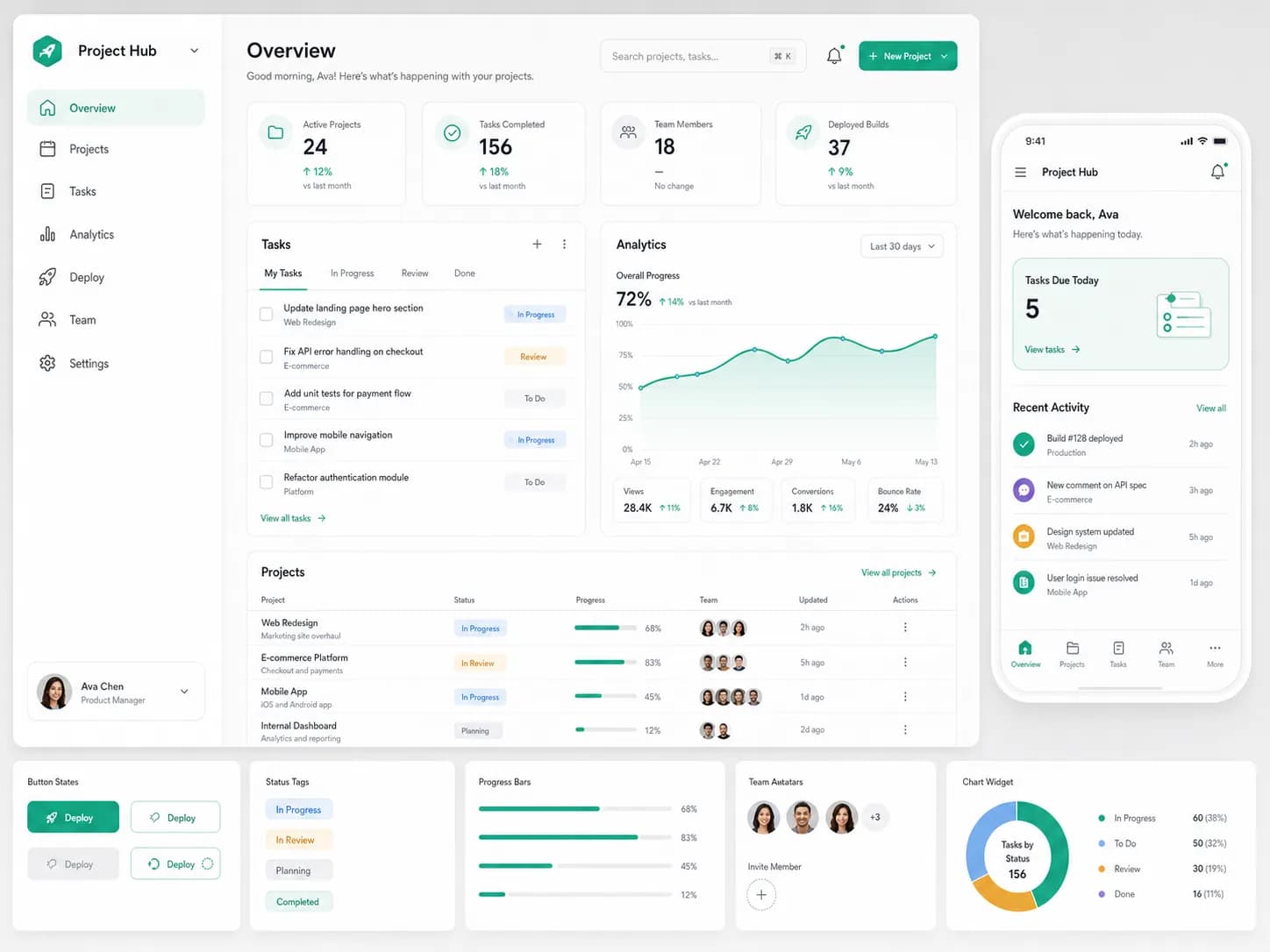
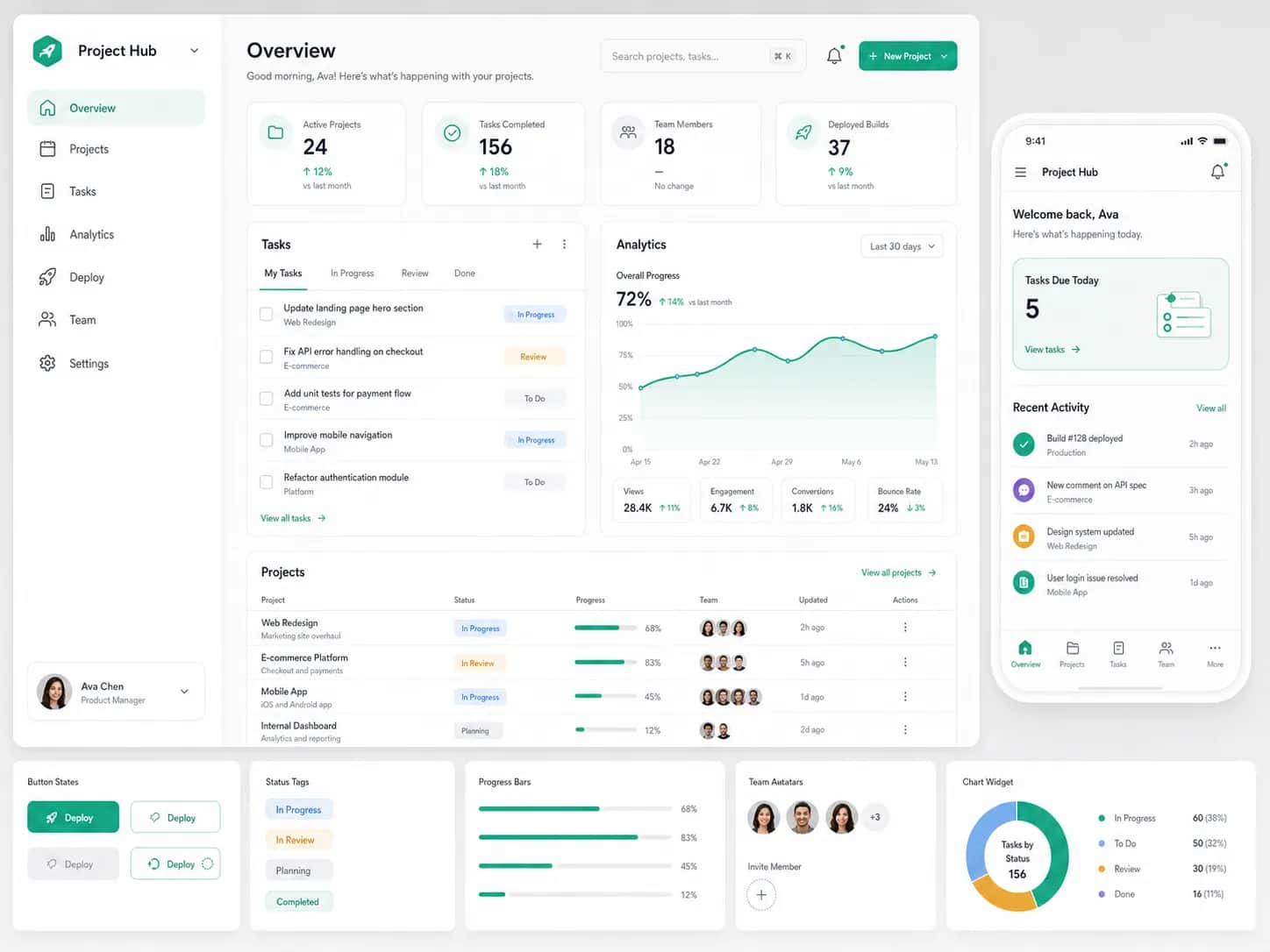
Create a 4:3 concept board for a creator analytics web app. Include a desktop overview with sidebar navigation, KPI cards, a campaign table, one line chart, a mobile summary screen, and a small component strip showing buttons, filters, status tags, and loading states. Use clear English UI labels and a calm neutral design system.
When editing from a reference, identify the product shape, identity, materials, colors, and camera angle that must stay fixed. Then describe only the background, styling, message, or channel format that may change.

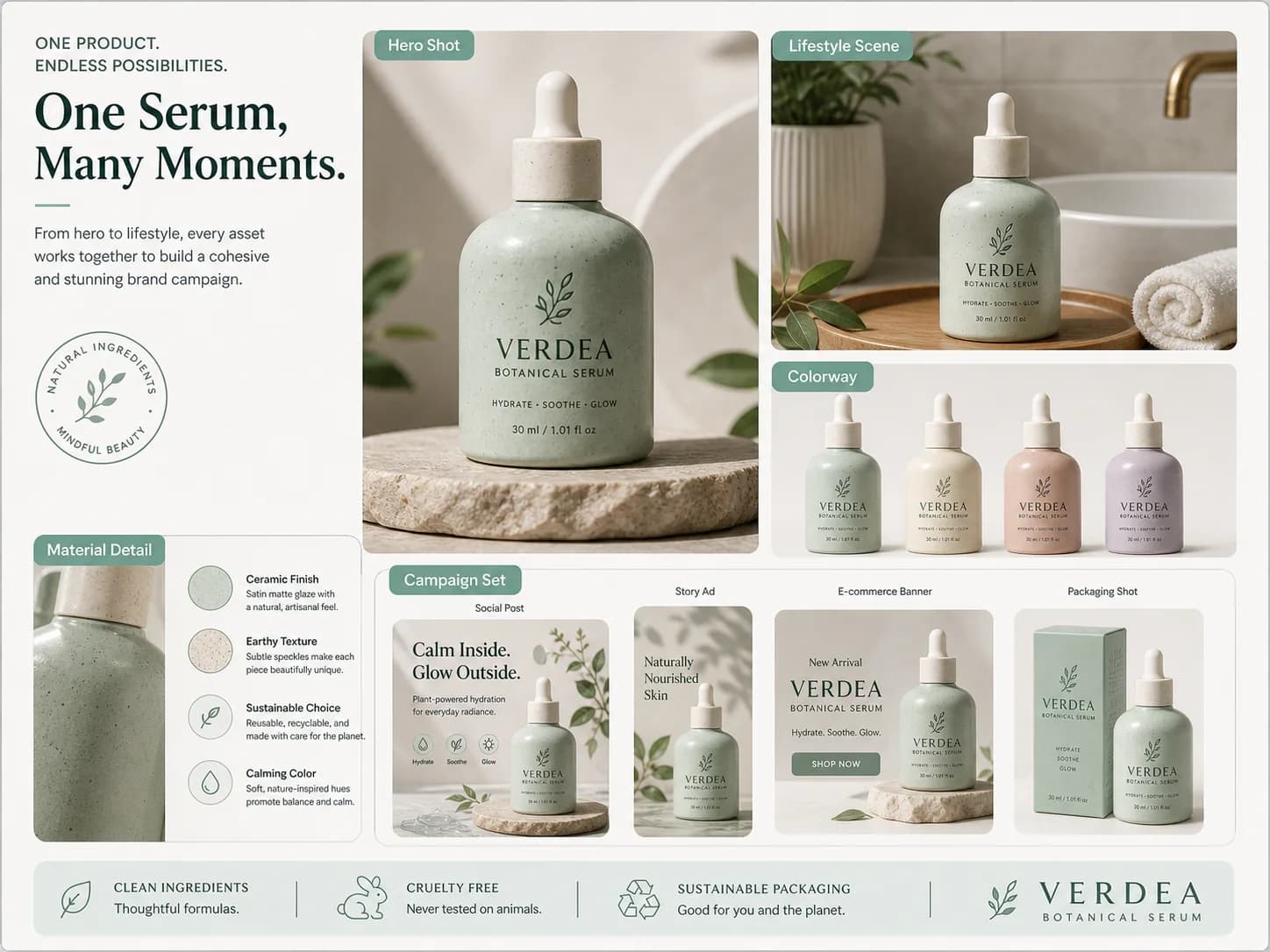
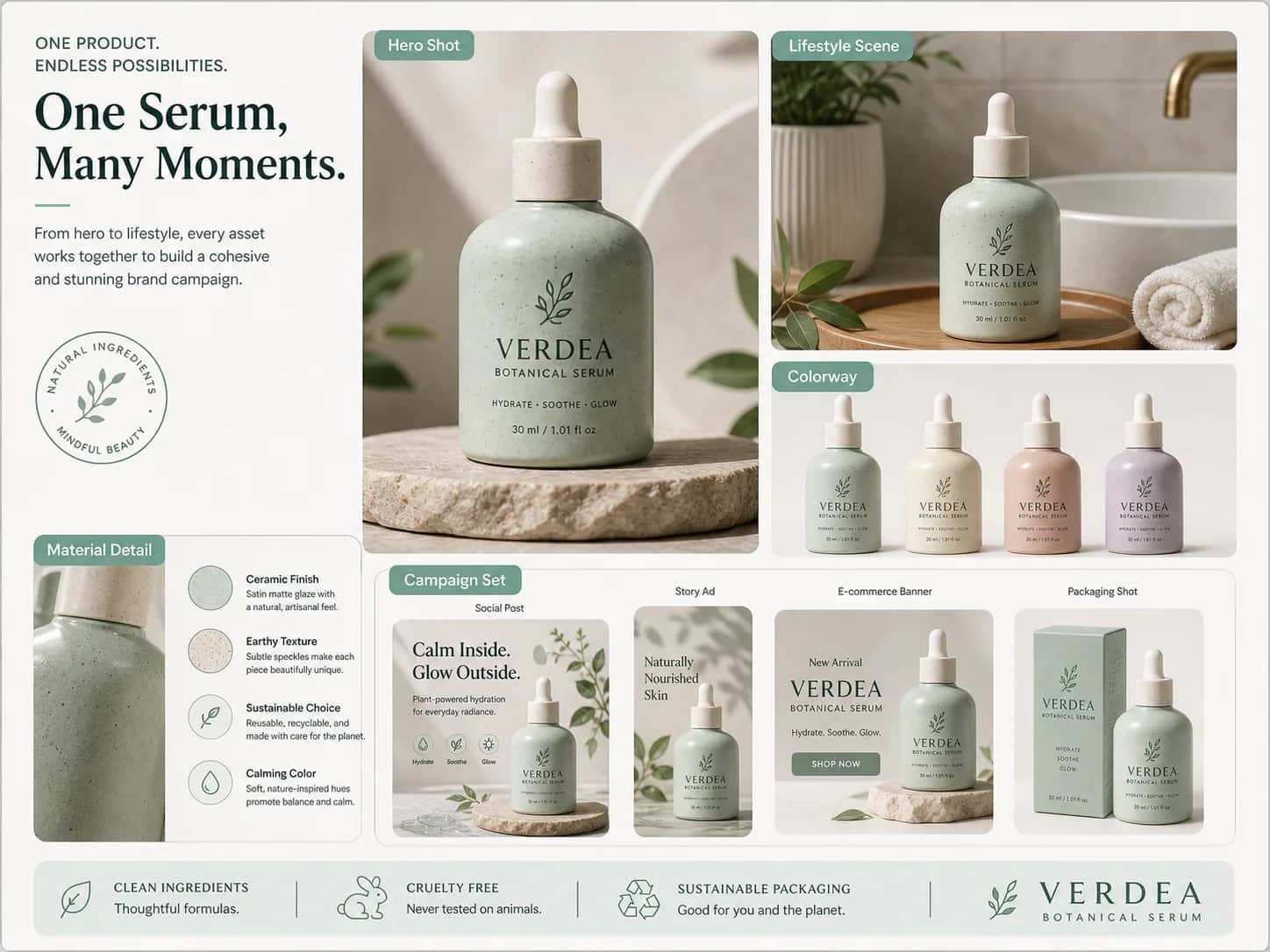
Use the uploaded skincare bottle as the exact product reference. Keep its shape, cap, label proportions, glass color, and logo placement unchanged. Build a premium botanical campaign with a clean bathroom hero scene, ingredient detail, packaging view, feed post, and story ad. Change the environment and layout only; preserve the product identity in every panel.
Name the format first, then list the required sections, labels, callouts, charts, and reading order. Keeping copy short gives every block a clearer role in the final layout.
Create a 4:3 project roadmap infographic titled “A Clear Path from Brief to Launch.” Include five numbered stages, a short outcome under each stage, two compact progress charts, a risk callout, and a final summary. Use concise English labels, strong heading hierarchy, generous spacing, and a neutral editorial layout with mint accents.

For an ad or product board, define the hero image, benefit hierarchy, offer, supporting scenes, channel variants, and brand mood so the output works as a connected campaign system.
Design a 4:3 launch campaign board for a fictional portable reading lamp. Show one hero product shot, three concise benefits, a limited-time offer, a small warranty and shipping row, one lifestyle scene, and feed, story, and banner adaptations. Keep the product shape and pale ceramic finish consistent across every panel.

A UI prompt is more reliable when it names the product type, device, navigation, cards, tables, charts, empty states, and visual hierarchy instead of asking for a generic modern dashboard.
Create a 4:3 concept board for a creator analytics web app. Include a desktop overview with sidebar navigation, KPI cards, a campaign table, one line chart, a mobile summary screen, and a small component strip showing buttons, filters, status tags, and loading states. Use clear English UI labels and a calm neutral design system.

When editing from a reference, identify the product shape, identity, materials, colors, and camera angle that must stay fixed. Then describe only the background, styling, message, or channel format that may change.
Use the uploaded skincare bottle as the exact product reference. Keep its shape, cap, label proportions, glass color, and logo placement unchanged. Build a premium botanical campaign with a clean bathroom hero scene, ingredient detail, packaging view, feed post, and story ad. Change the environment and layout only; preserve the product identity in every panel.

Compare the task each model is designed to handle before selecting one in the Pixelto AI generator.
Available controls, model access, and credit cost are shown in the live generator and may vary by output settings.
Free online use, prompt structure, reference editing, text layouts, model choice, and credit visibility.
Start from a structured prompt or reference image, then refine the format, hierarchy, and details in the Pixelto AI generator.